Over the the past few years, I’ve been able to get down to “inbox zero” quite often.
That means absolutely nothing in the inbox.
This “hack” will only apply for those who keep the inbox lean…. and for those that use the gmail archive system.
I can’t stand seeing that “addiction counter” in the browser tab, or in the left margin… or anywhere for that matter.
It negatively affects my workflow. I hate having new/unread messages drain my brain glucose.
I hate the addictive feeling of always having to check when the counter goes up.
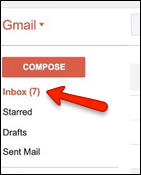

Here’s the trick: mark all incoming mail as read.
We do this by creating a filter in gmail.
Here’s how:
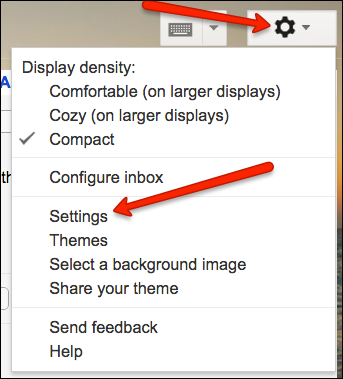
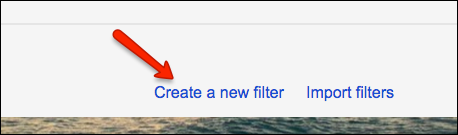
1. Go to Settings > Filters > “Create a new filter” (at bottom of page)

2. In the To field, type: *@* and then click “Create filter with this search”
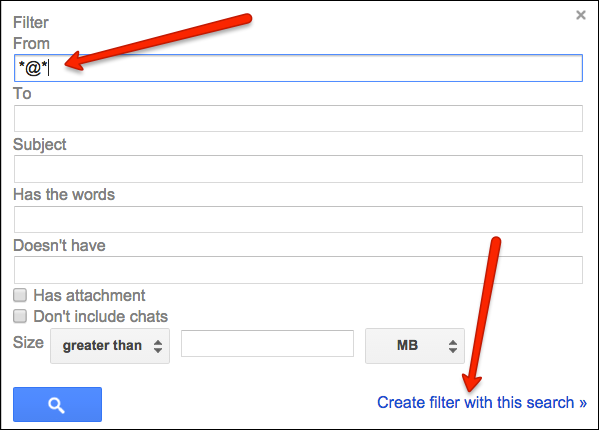
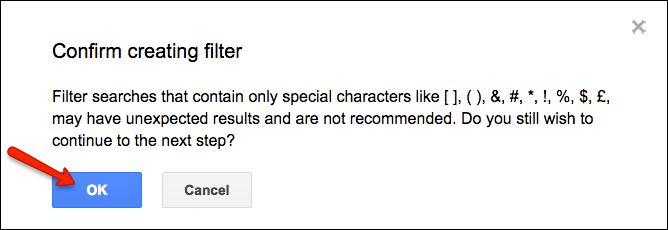
You’ll see a warning message about “Filter searches that contain only special characters…” Click OK.
3. Select Mark as Read and click “create filter”.
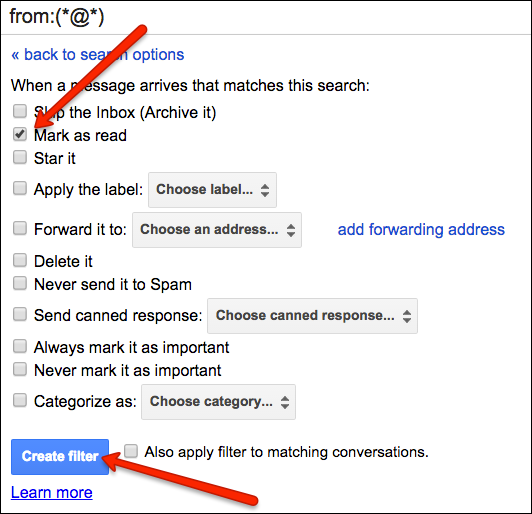
New messages coming into the Inbox will be marked as read.
Your “addiction counter” will no longer add up.
Yay!
Now get back to work.